Now Available for Windows

The Desktop Control Panel
for WooCommerce

Stop fighting the slow WordPress admin. CartConsole gives you a lightning-fast, native Windows client to manage products, orders, and inventory — instantly.

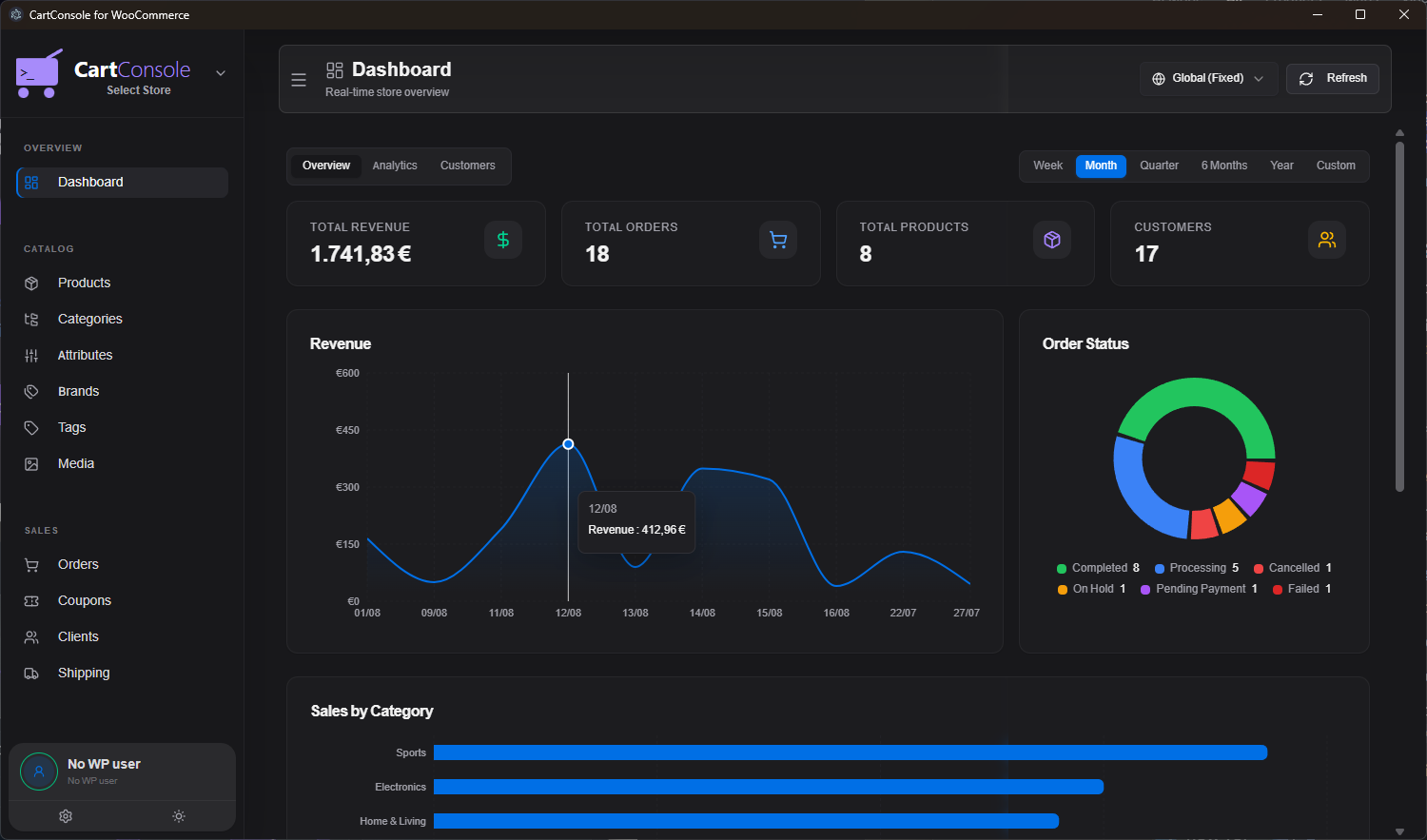
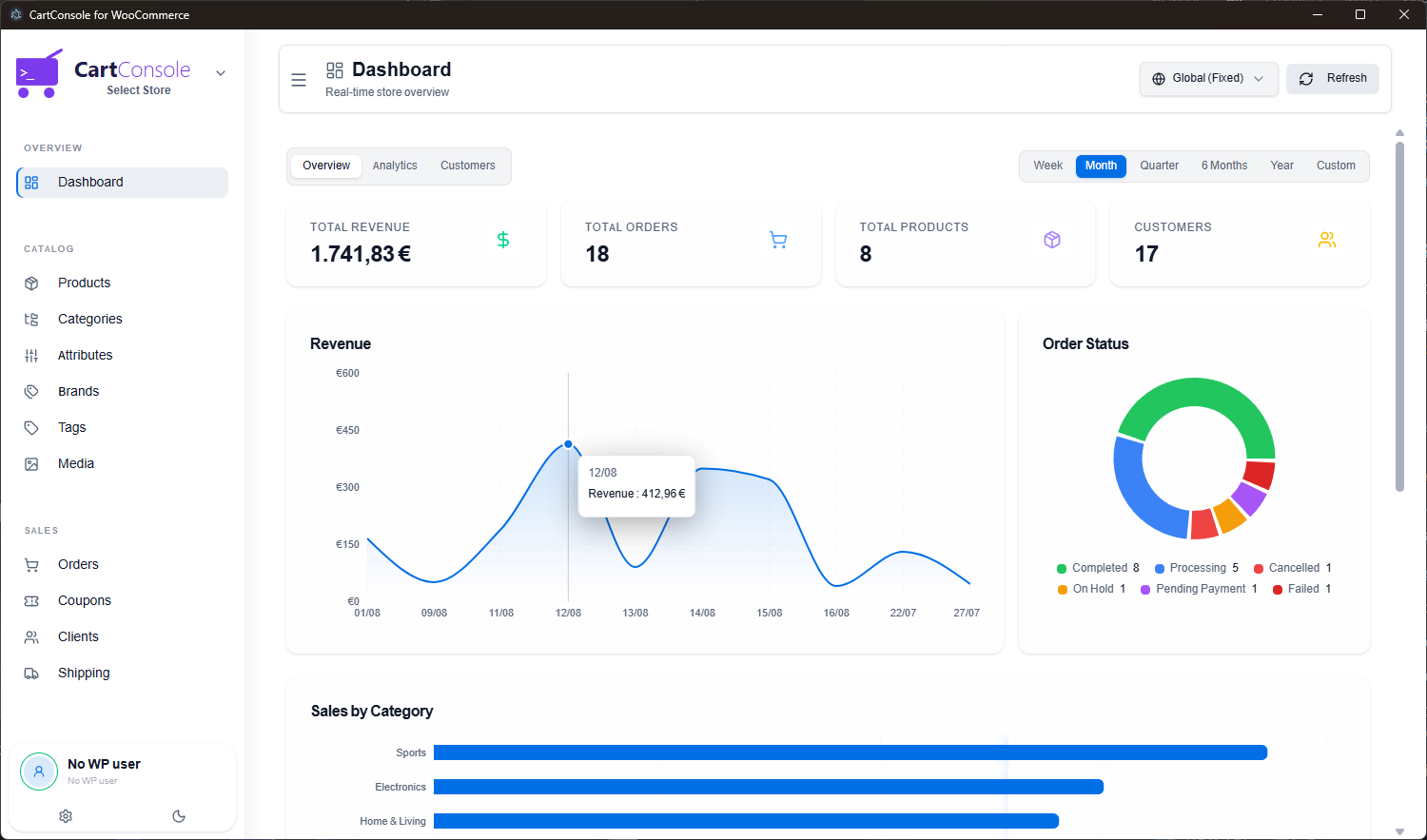
CartConsole Dashboard — Dark Mode CartConsole Dashboard — Light Mode
6
Languages
EN · EL · ES · DE · FR · IT
3
Work Modes
Online · Offline Auto · Offline Manual
Stores
Connect unlimited WooCommerce stores
<1s
Load Time
Native desktop performance
Features

Everything you need.
Nothing you don't.

Built for WooCommerce store owners who value speed, clarity, and control.

Lightning Fast

Native desktop performance means instant page loads. No more waiting 5+ seconds for the WordPress admin to render.

📦

Product Management

Edit products, variations, prices, and inventory in a powerful split-view interface. Bulk edit hundreds of items in seconds.

🛒

Order Processing

View, filter, and fulfill orders with real-time desktop notifications. Never miss a sale again.

🌍

6 Languages

Full interface translations in English, Greek, Spanish, German, French, and Italian. Switch anytime from Settings.

📡

Online & Offline Modes

Work in Online, Offline Auto-Sync, or Offline Manual mode. Changes are queued locally and synced when you reconnect.

🔔

Real-Time Alerts

Desktop notifications for new orders, low stock, and out-of-stock products with customizable sound alerts.

🏷️

Full Catalog Control

Manage Categories, Attributes, Brands, Tags, Coupons, and Media — all from a single, unified interface.

🔌

Multi-Store Support

Connect and switch between multiple WooCommerce stores instantly. One app for all your businesses.

🎨

Dark & Light Themes

Beautiful dark and light modes that follow your system preferences or can be set manually. Easy on the eyes, day or night.

In Detail

Built for real store owners

Every feature is designed around the daily workflow of managing a WooCommerce store.

Product Management

Edit products at the speed of thought

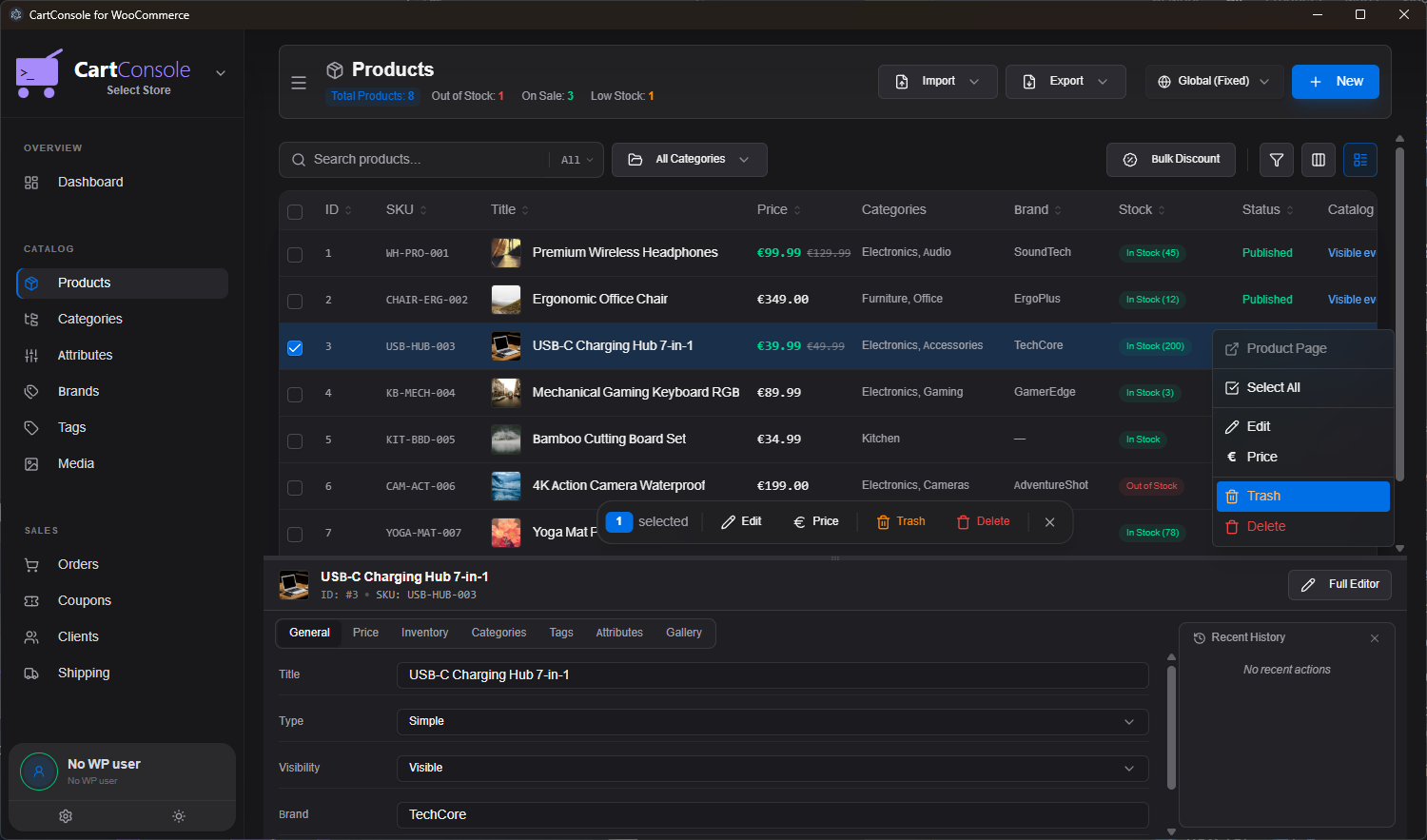
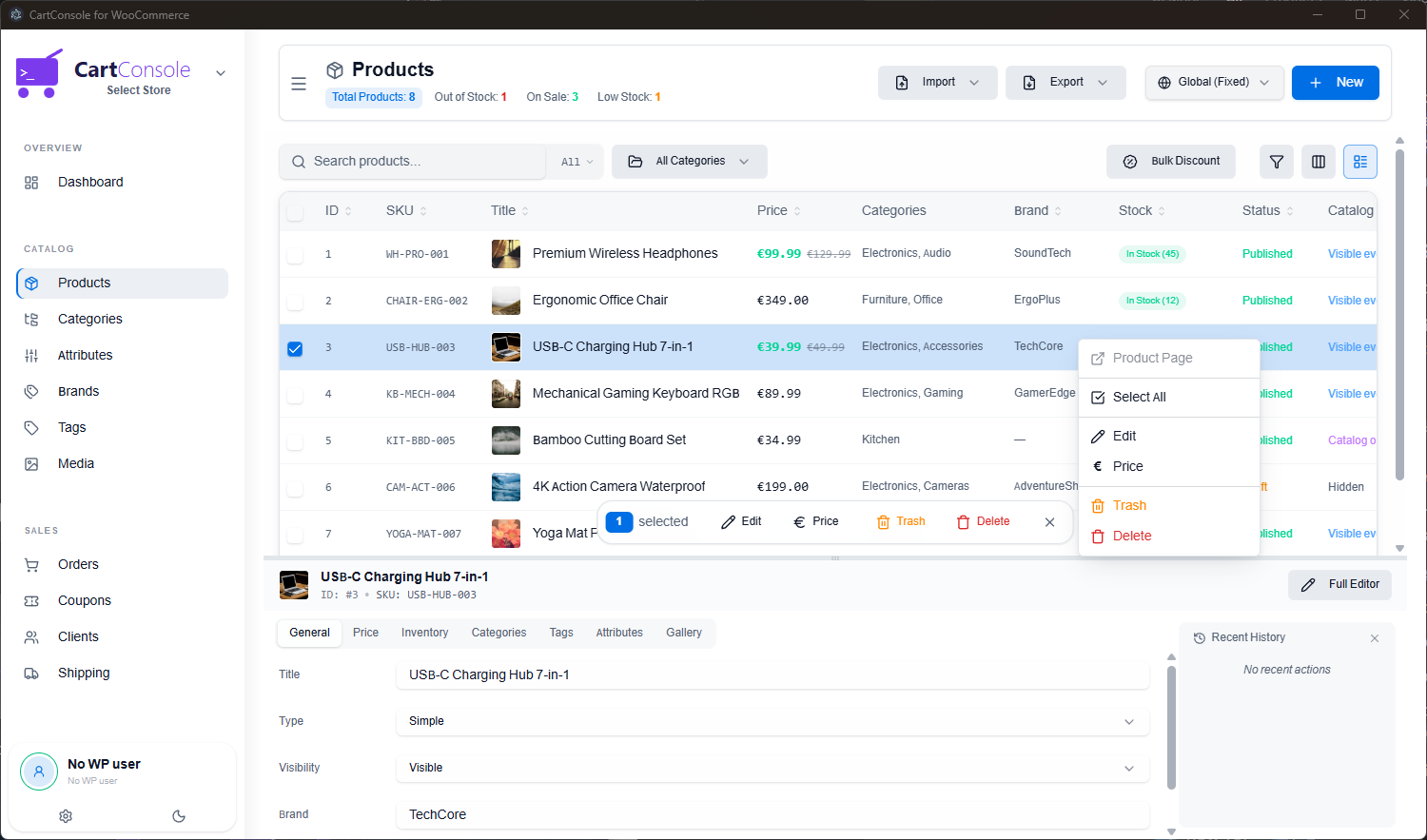
CartConsole's split-view editor lets you browse your catalog on top and edit any product below — without ever leaving the page. Right-click context menus, inline price editing, bulk actions, and full gallery management.

  • ✏️ Inline editing with split-view panel
  • 🏷️ Bulk price changes & discount tools
  • 📸 Drag-and-drop image upload to WP Media
  • 🔍 Filter by category, brand, stock, or status
Product Management — Dark Product Management — Light
Order Management

Process orders without the browser

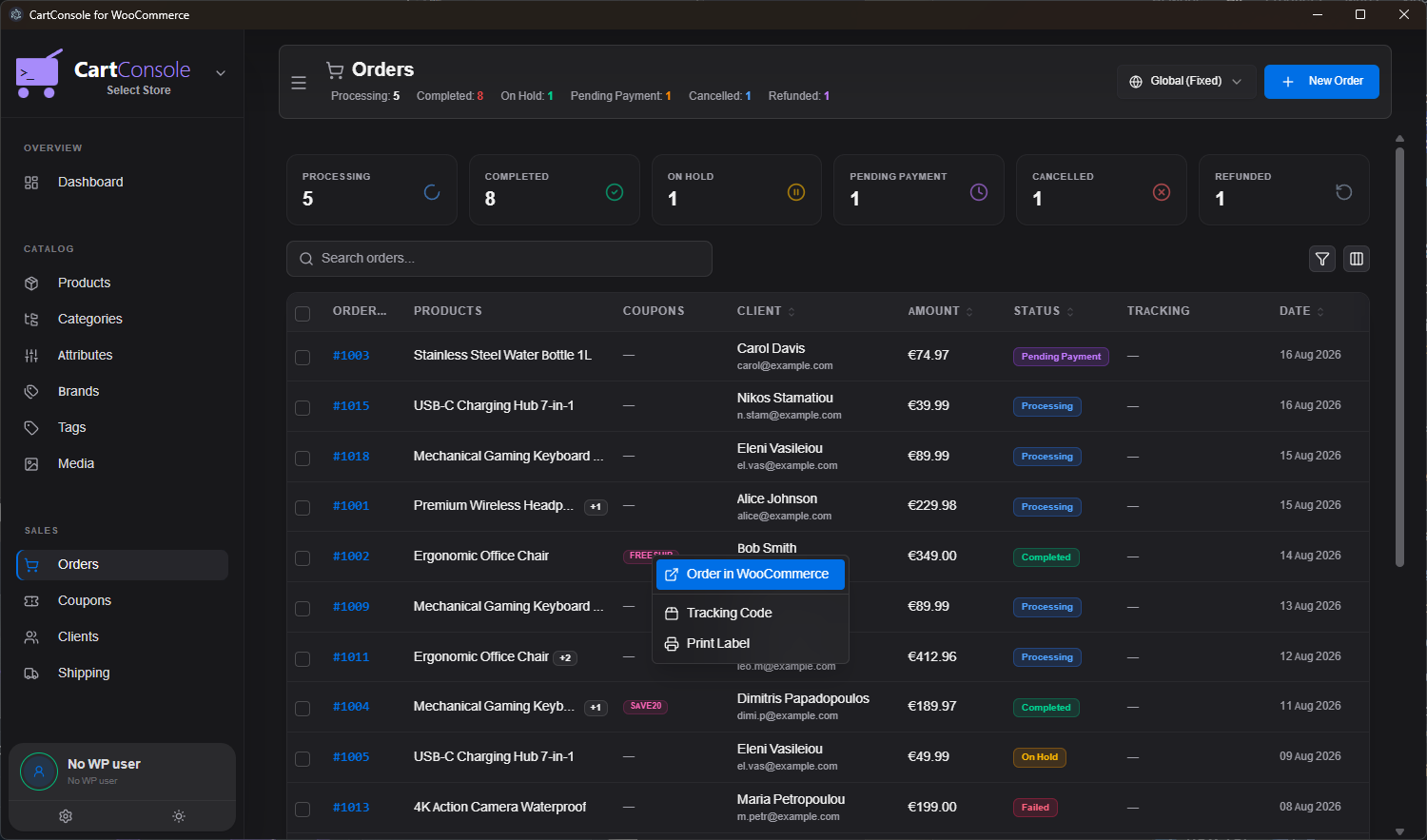
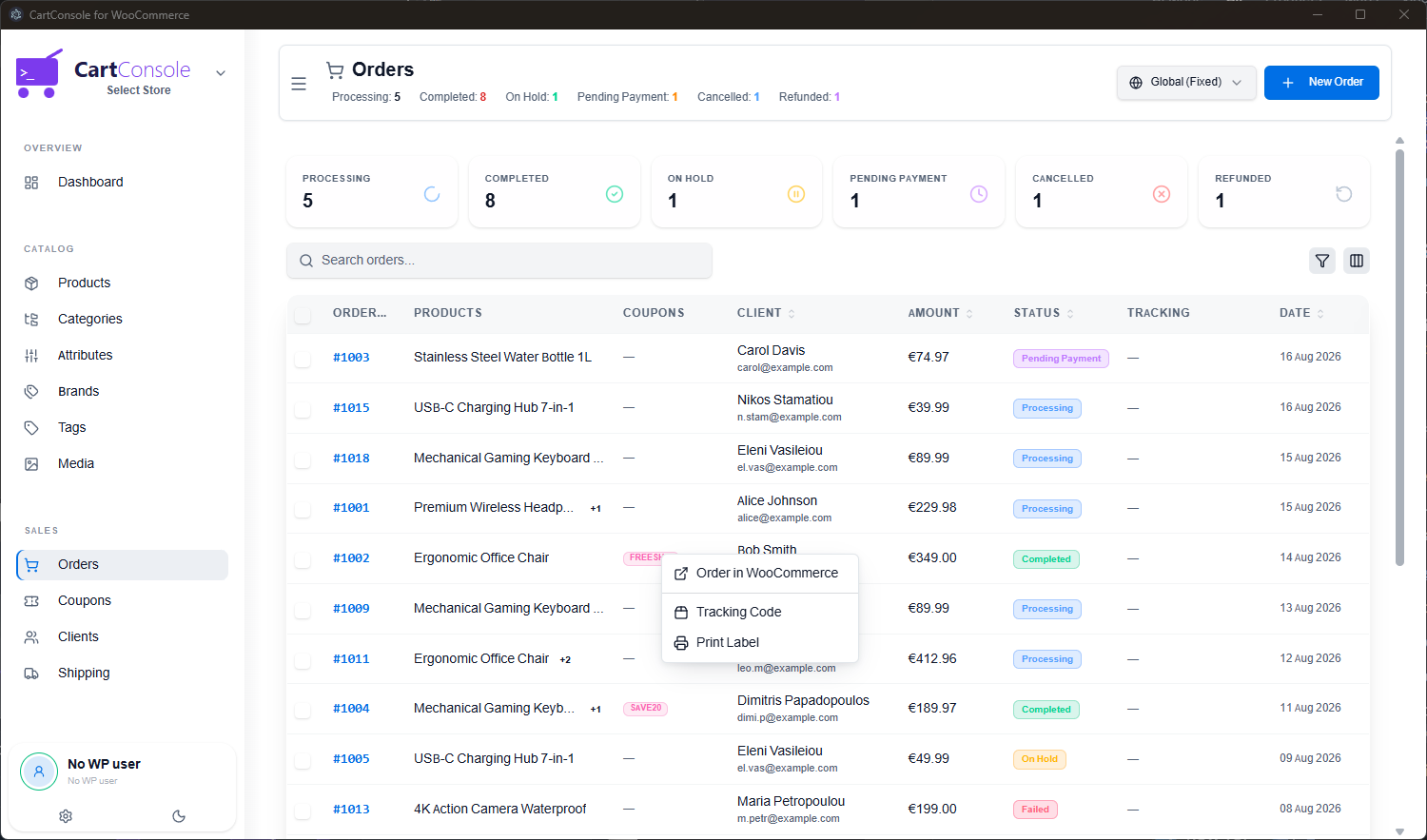
A dedicated orders view with status badges, client details, and quick actions — right-click any order to open it in WooCommerce, add a tracking code, or print a label. Desktop notifications alert you the instant a new order comes in.

  • 🔔 Instant desktop notifications for new orders
  • 📊 Status filters: Processing, Completed, On Hold, etc.
  • 🖨️ Quick actions: Print label, add tracking, open in WC
  • 🔊 Customizable notification sounds
Order Management — Dark Order Management — Light
Work Modes

Online, Offline, or anywhere in between

CartConsole gives you three distinct work modes so you can manage your store from anywhere — even without internet. Changes are queued locally and synchronized when you're ready.

  • 🟢 Online: Direct API calls to your store. Default mode.
  • 🔵 Offline Auto-Sync: Queue changes while offline; they sync automatically when internet returns.
  • 🟠 Offline Manual: Queue all changes; sync only when you manually press "Sync Now".
  • 📊 Visual sync status bar shows pending changes and sync progress.
Dashboard — Dark Dashboard — Light
Screenshots

See it in action

Real screenshots from the CartConsole desktop application.

Demo

Watch CartConsole in action

See how CartConsole transforms the way you manage your WooCommerce store.

Pricing

Simple, transparent pricing

Choose the plan that works for you. Cancel anytime.

Monthly
Pay as you go. Full flexibility.
9 .99/mo
Billed monthly
  • Full app access
  • Unlimited stores
  • Offline mode & sync
  • Real-time notifications
  • All future updates
  • Priority support
Get Started

🚀 Founders Discount — First 100 Customers

Get 20% off your subscription for life. Use the code below at checkout:

FOUNDERS20
Click to copy • Limited to the first 100 subscribers • Monthly subscriptions only
FAQ

Frequently Asked Questions

Everything you need to know about CartConsole.

CartConsole is a standalone desktop application for Windows that connects to your WooCommerce store via the official REST API. It provides a fast, native interface for managing products, orders, customers, categories, coupons, and more — without ever opening the WordPress admin panel.

No. CartConsole connects directly through the WooCommerce REST API, which is built into WooCommerce by default. You simply generate API keys from your WooCommerce settings and paste them into CartConsole. No plugins, no server modifications.

CartConsole offers three work modes: Online (direct API calls), Offline Auto-Sync (changes are queued locally and synced automatically when you reconnect), and Offline Manual (changes are queued until you explicitly press "Sync Now"). This lets you work from anywhere, even without internet access.

Yes! You can add unlimited WooCommerce store connections and switch between them instantly from the sidebar. Each store maintains its own settings and credentials.

The full CartConsole interface is available in 6 languages: English, Greek (Ελληνικά), Spanish (Español), German (Deutsch), French (Français), and Italian (Italiano). More languages will be added in future updates.

Absolutely. CartConsole communicates directly with your WooCommerce store — your data never passes through our servers. API keys are stored securely on your local machine. All communication uses HTTPS encryption.

If you cancel, your license key will expire at the end of your current billing period. You will not be charged again, and you can re-subscribe at any time to regain access. Your store data is never affected — CartConsole only reads and writes through the WooCommerce API.

CartConsole is currently available for Windows. Mac and Linux versions are planned for a future release. Stay tuned!

Contact

Get in touch

Have a question, feature request, or need help? We'd love to hear from you.

Let's talk

Whether you have a question about features, pricing, need a demo, or anything else — our team is ready to answer all your questions.

✉️
💬
Response Time
We typically respond within 24 hours